
Know what you have, who it belongs to, and how it connects.
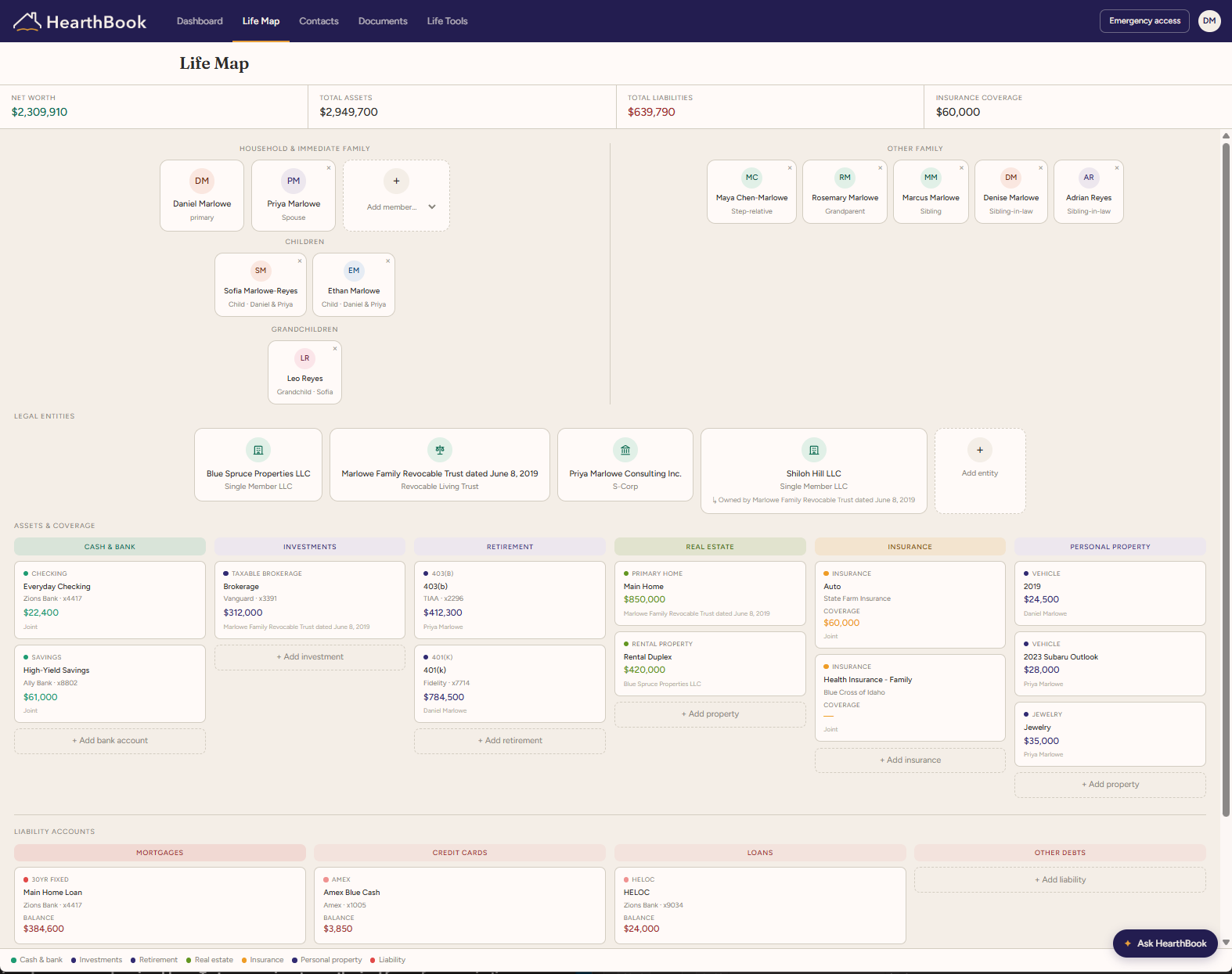
People, relationships, and entites
Keep relationships current as life changes and connect the same people to documents, accounts, events, and trusted access. Add trusts, LLCs, corporations, and other entities and connect them to the people and information they relate to.
Add a person or entity - Once added to your Life Map, related documents, assets, liabilities, and ledgers can connect back to it.
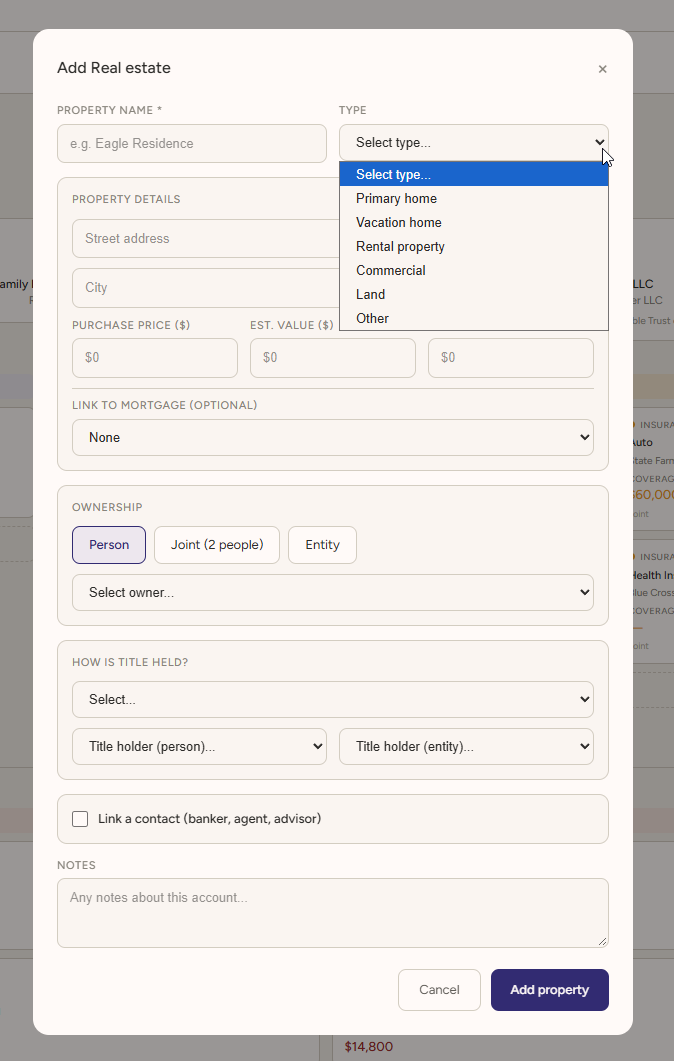
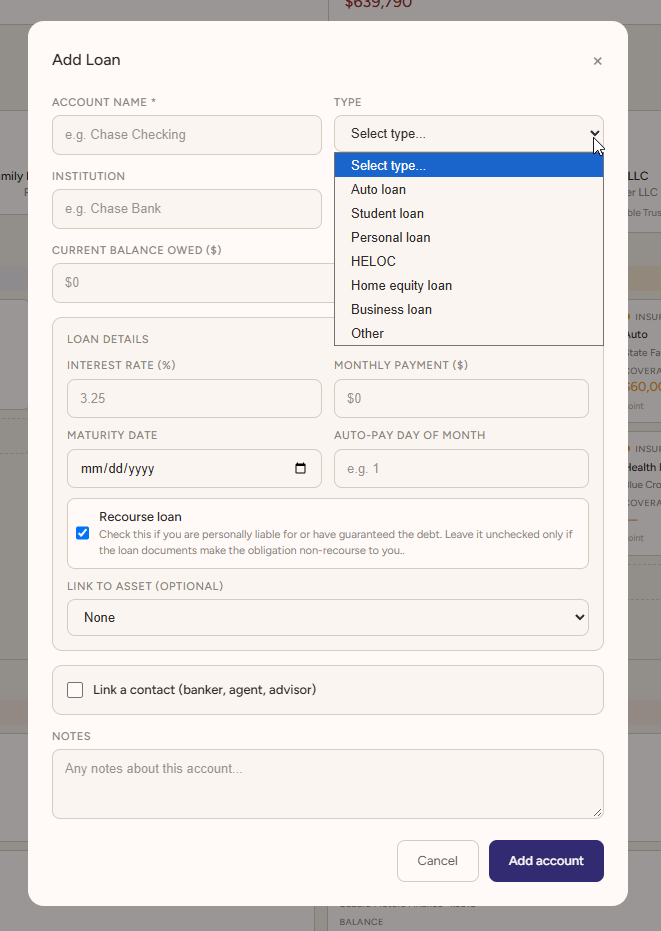
Assets and Liabilities
Add property, accounts, investments, loans, and other financial details to the people or entities they belong to. Update them as things change and keep that information available throughout HearthBook.
Add an asset or liability - Once it is on your Life Map, documents, insurance, estate-planning details, and extracted information can all connect to the same record.
Life Tools
Use them to see your overall picture, track recurring costs, follow investments, and keep focused records for a property, project, or LLC. They are designed to make your information more useful.
.svg) Net Worth Snapshot — See your assets and liabilities together in one clear view.
Net Worth Snapshot — See your assets and liabilities together in one clear view.- Micro-Ledger — Keep a focused record of income, expenses, and equity for a property, project, or LLC.
- Subscriptions — See recurring services, costs, renewal dates, and what you may no longer need.
- Stock Tracker — Follow selected stocks with quotes, news, and SEC filings.
- Crypto Tracker — Follow major digital assets with prices, charts, and project research.
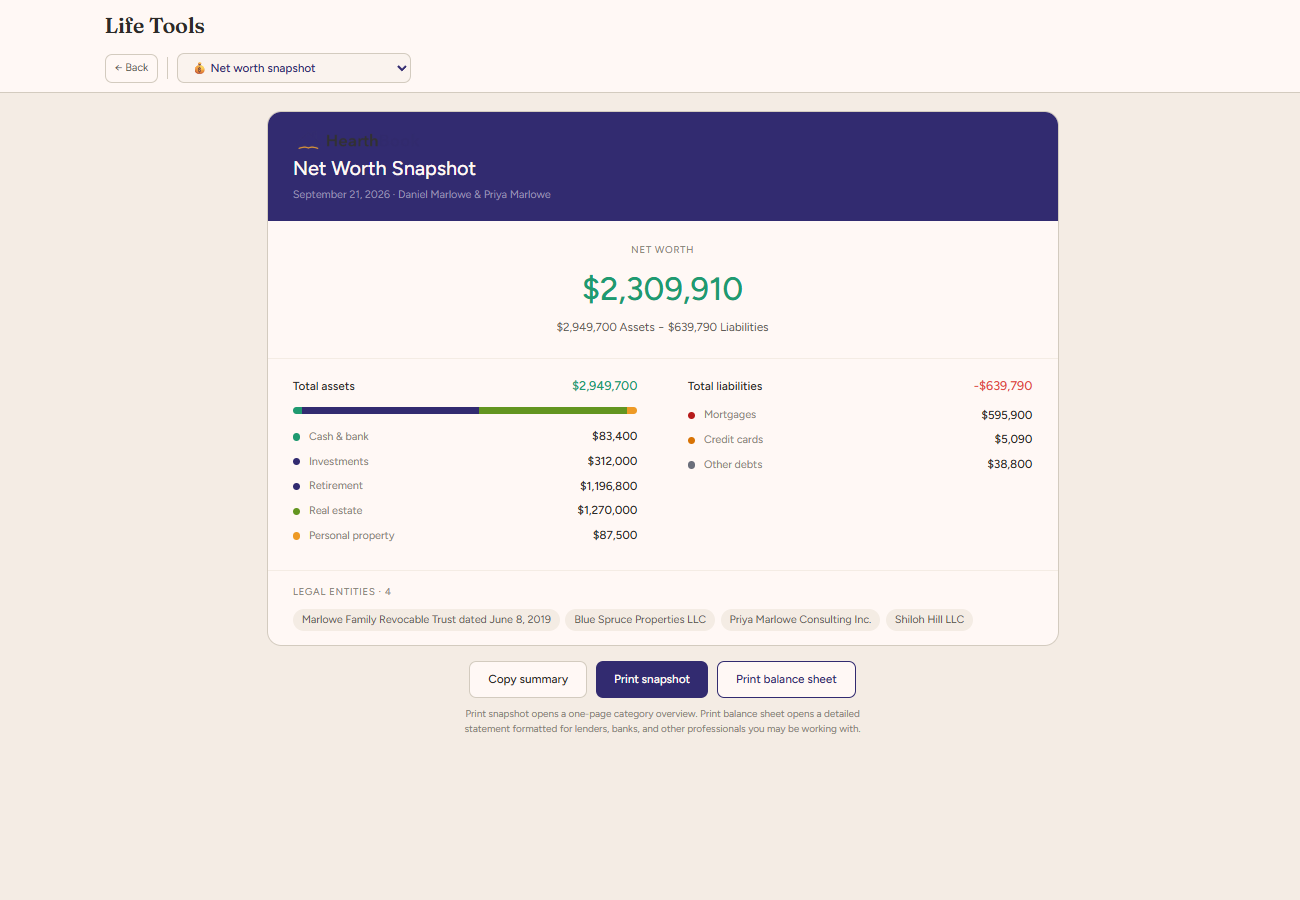
Net Worth Snapshot
See your assets and liabilities together in one clear view. Net Worth Snapshot uses the financial information already in HearthBook to give you a current picture of what you own, what you owe, and how those pieces add up. It is useful for regular check-ins, planning conversations, or simply understanding where things stand without rebuilding the picture in a separate spreadsheet.
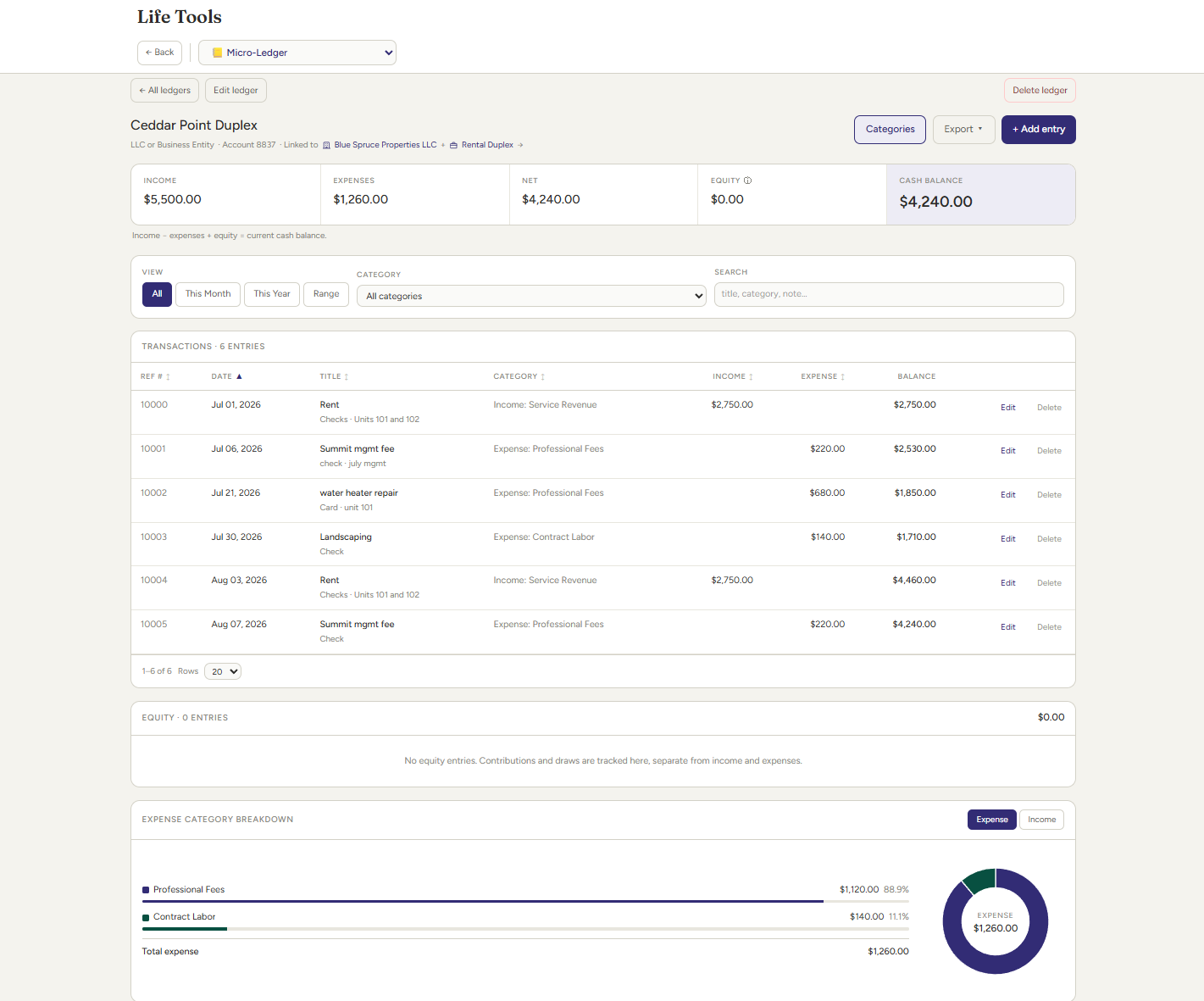
Micro-Ledger
Keep simple financial records without turning a small need into a full accounting project. Micro-Ledger lets you track income, expenses, and equity for something specific, such as a rental property, side project, or an LLC. It is designed for situations where you want an organized record of transactions without setting up a more complex bookkeeping system.
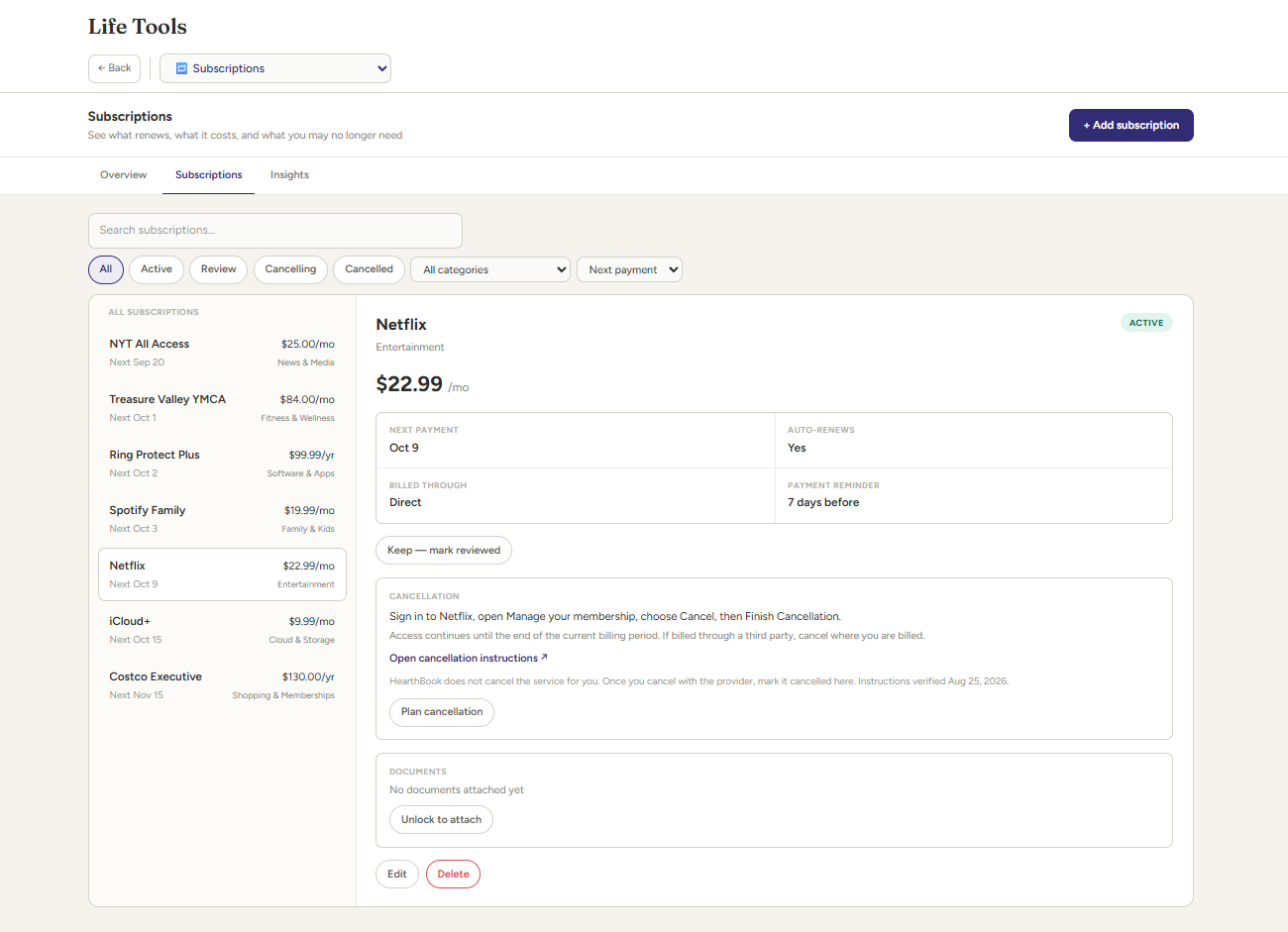
Subscription Manager
See recurring services and costs in one place instead of discovering them one charge at a time. Track what you subscribe to, what it costs, when it renews, and which payment method it uses. HearthBook can also help surface subscription information so you can review what is still useful and what may no longer be worth keeping.
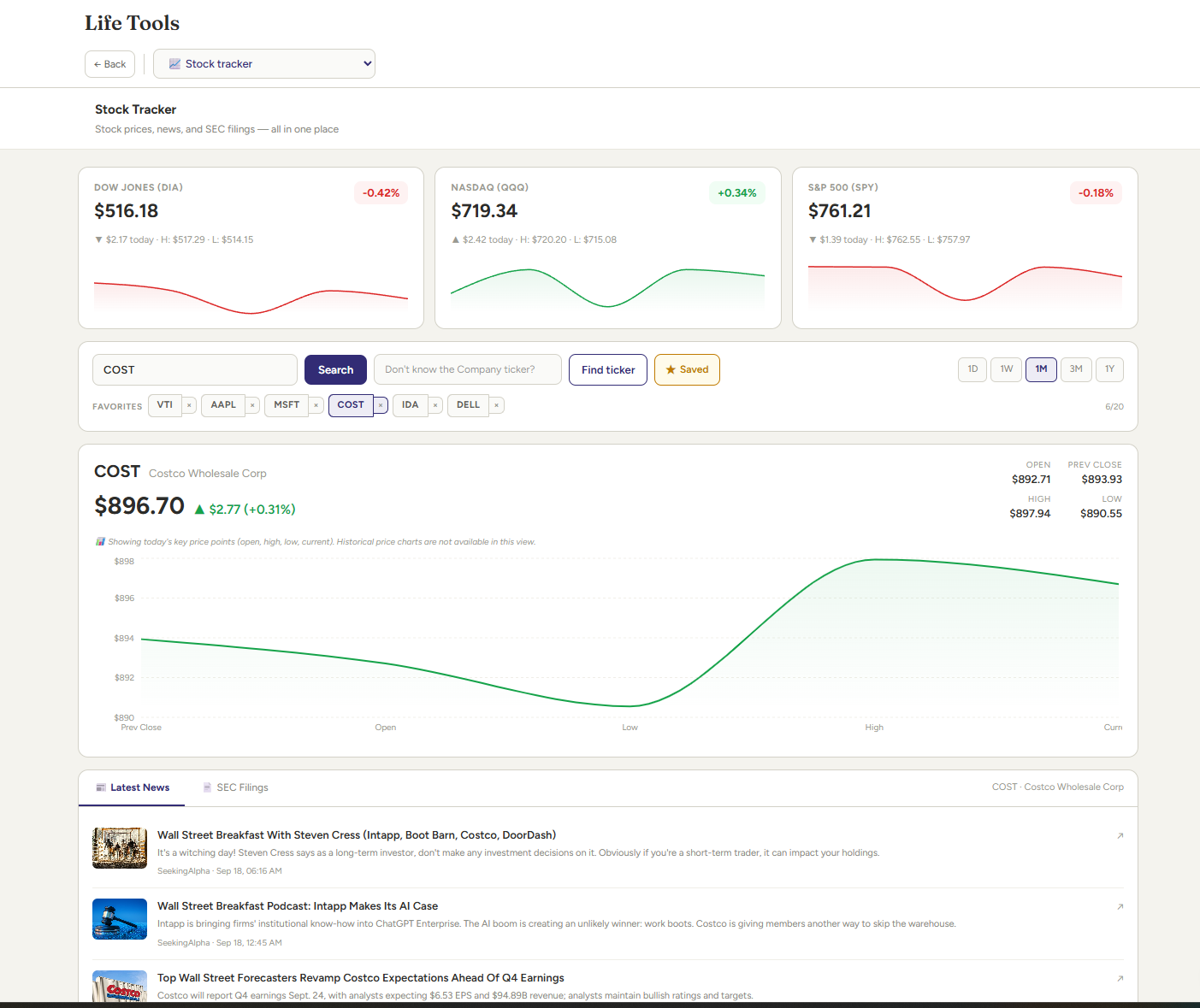
Stock Tracker
Follow the investments you care about without turning HearthBook into a trading platform. Stock Tracker lets you keep an eye on selected companies with market information, news, and SEC filings in one place. It is useful for staying informed about holdings or companies you want to watch alongside the rest of your financial picture.
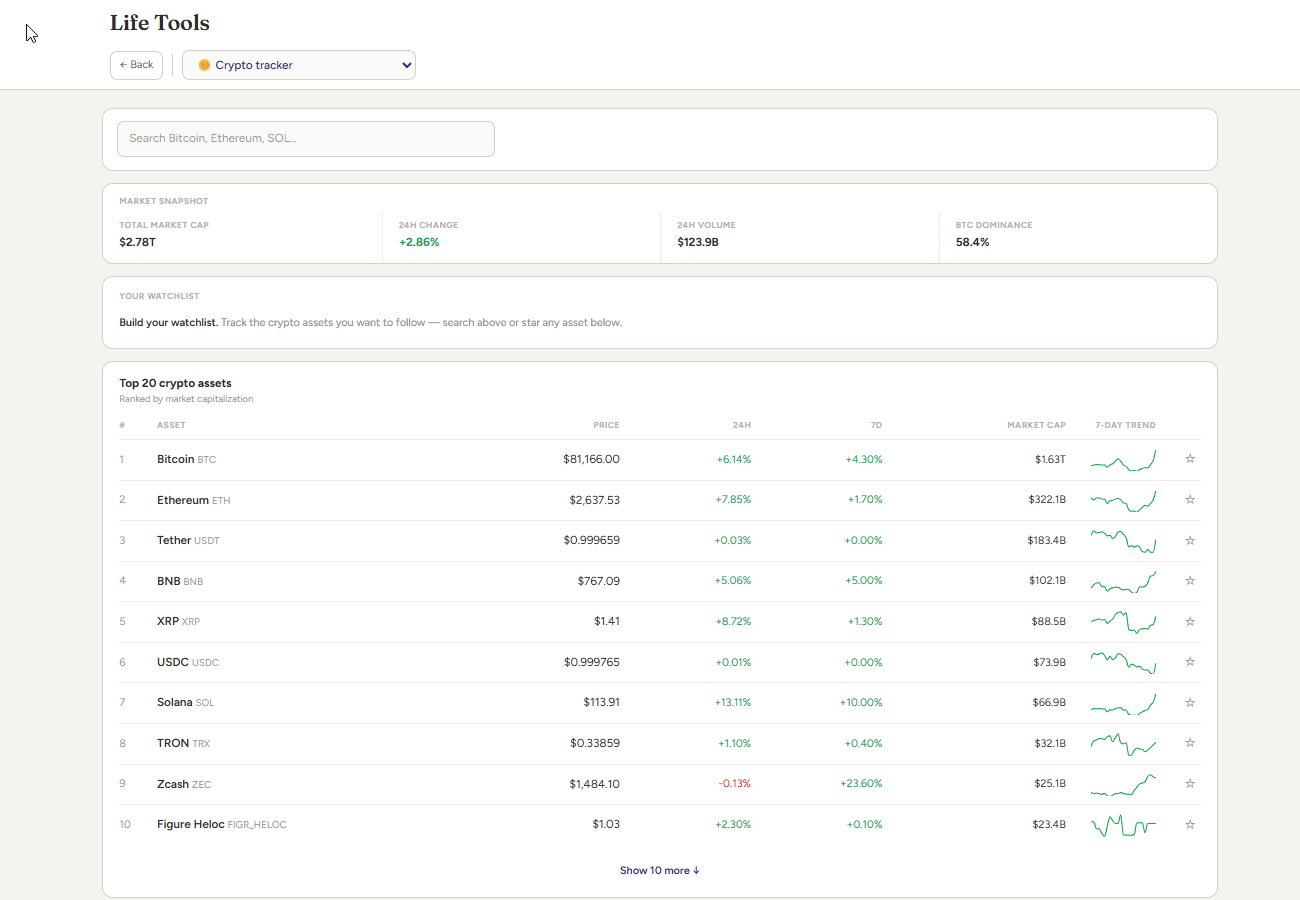
Crypto Tracker
Keep major digital assets visible alongside the rest of your financial information. Crypto Tracker lets you follow selected cryptocurrencies with prices, charts, and supporting project information so you can understand where those assets fit within your broader picture. It is for tracking and context, not trading, in a simple format for anyone who is interested in crypto.
- Birthday Planner — Keep birthdays and anniversaries visible and review upcoming dates that may need your attention.
- Holiday Cards — Use the contact information already in HearthBook to prepare addresses for cards and seasonal mailings.
- Social Media Organizer — Coming soon - Social Media Organizer — Coming soon
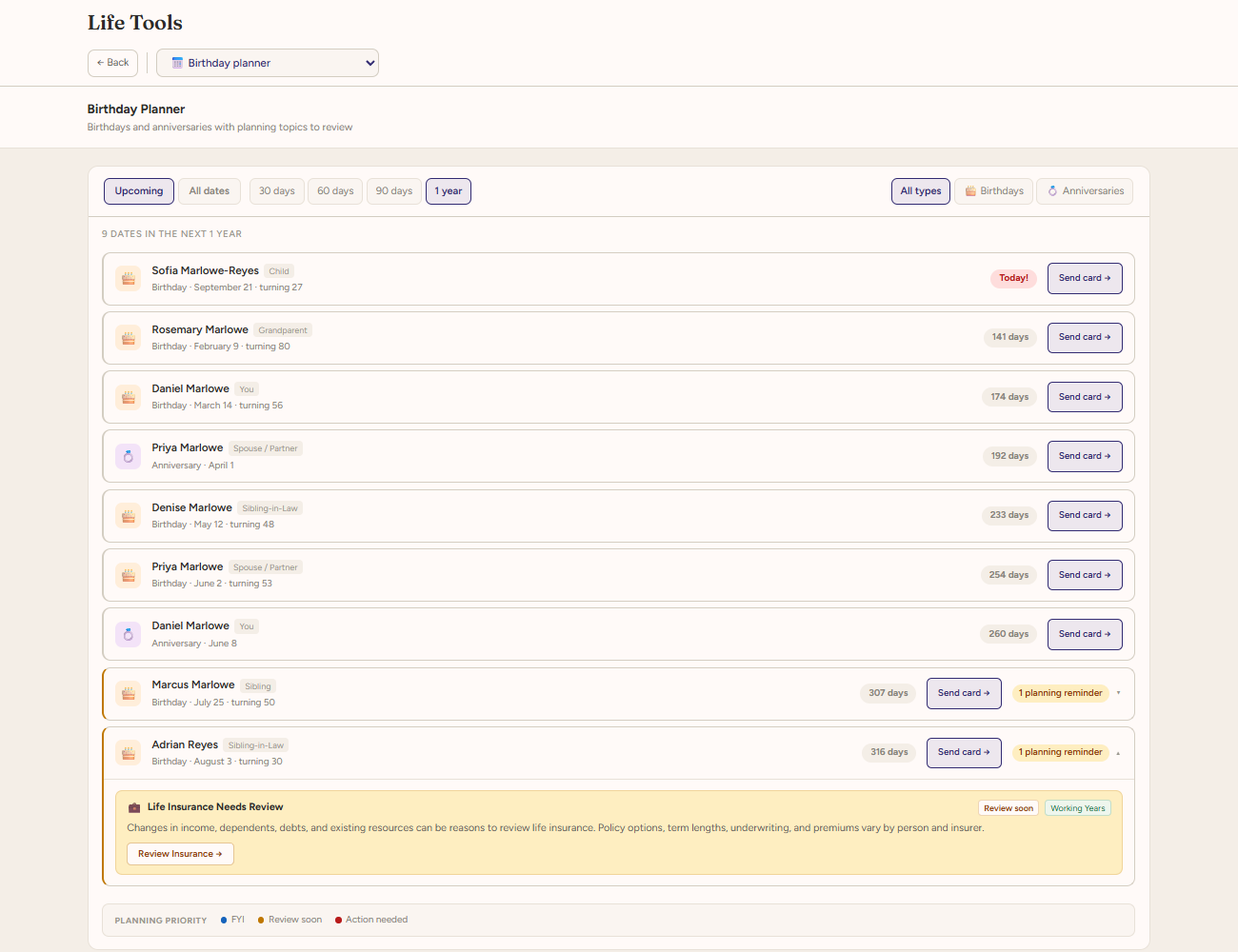
Birthday Planner
Keep important dates from slipping through the cracks. Birthday Planner brings birthdays and anniversaries from your HearthBook contacts into one place, giving you a simple way to see what is coming up and review the people or occasions you may want to plan for.
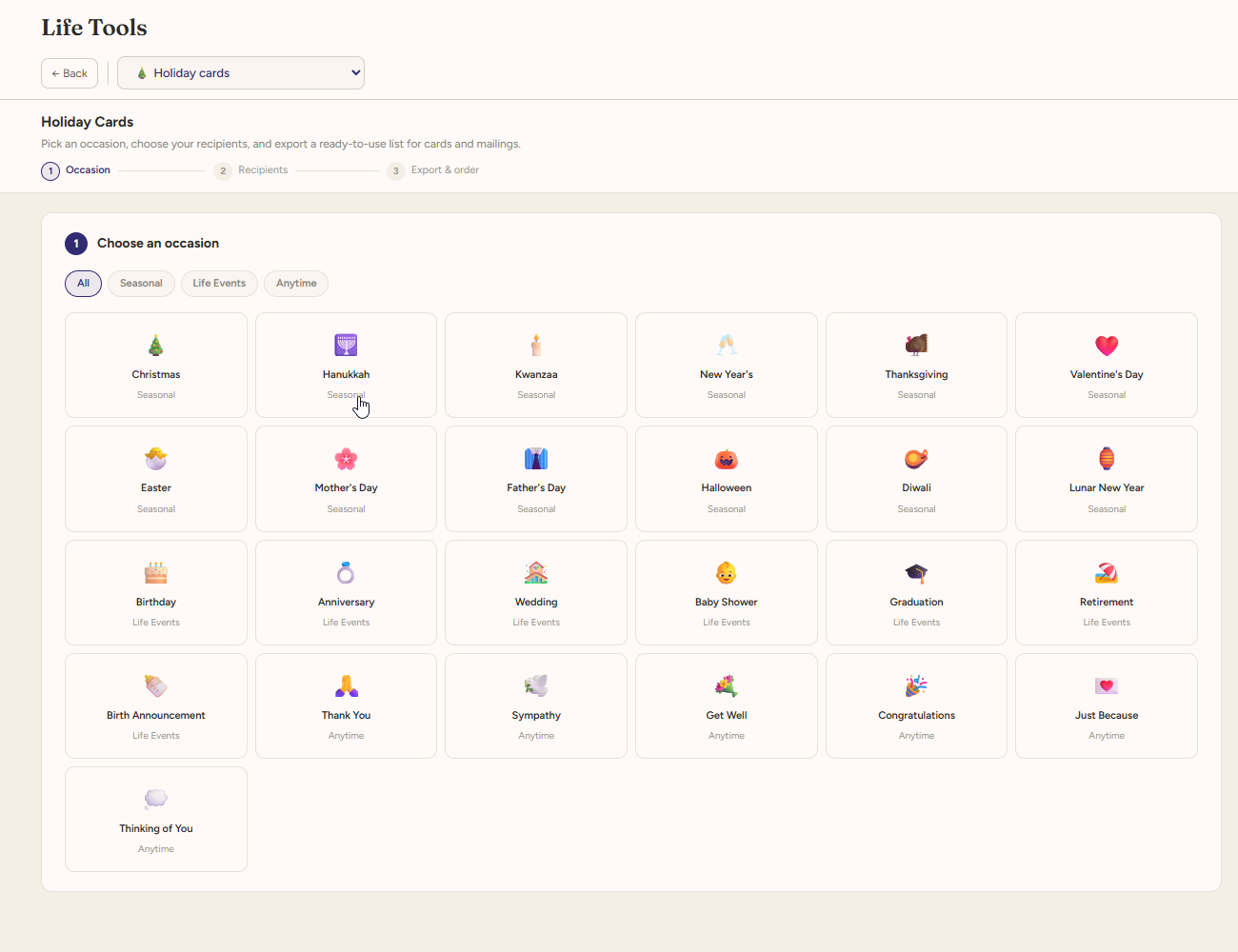
Holiday Cards
Turn your contact list into something you can actually use. Holiday Cards helps you pull together names and mailing addresses from HearthBook so you can prepare seasonal cards and mailings without rebuilding your address list somewhere else.
- Estate Summary — Bring key estate information together in a clear summary that is easier to review and discuss.
- Estate Readiness — Review important estate-planning areas and identify information or documents that may still need attention.
- Insurance Review — See your insurance information together and review coverage details that may be worth revisiting.
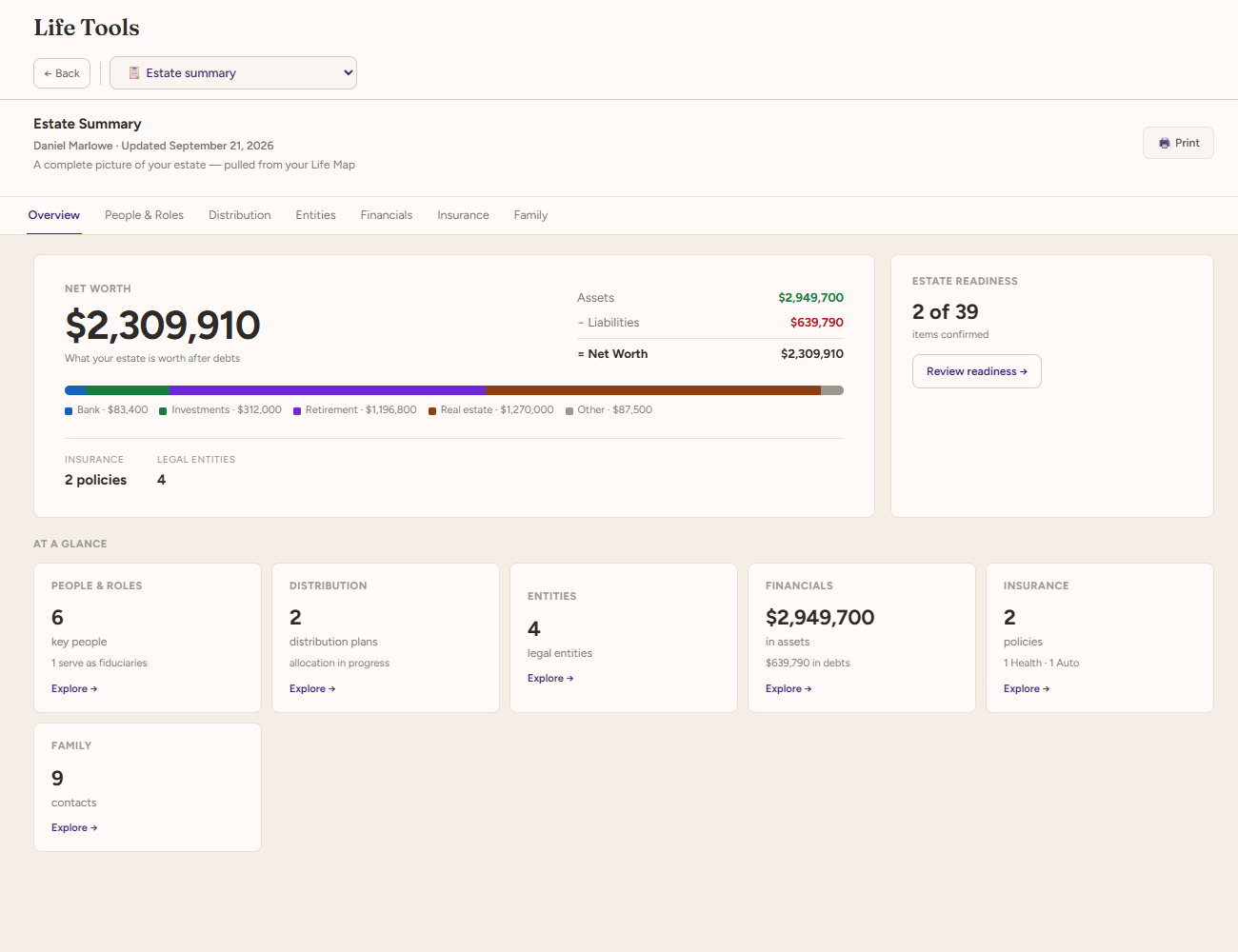
Estate Summary
See what is in place and what may still need attention. Estate Readiness helps you review important estate-planning areas, identify missing or incomplete information, and prepare for next steps or conversations with a qualified professional.
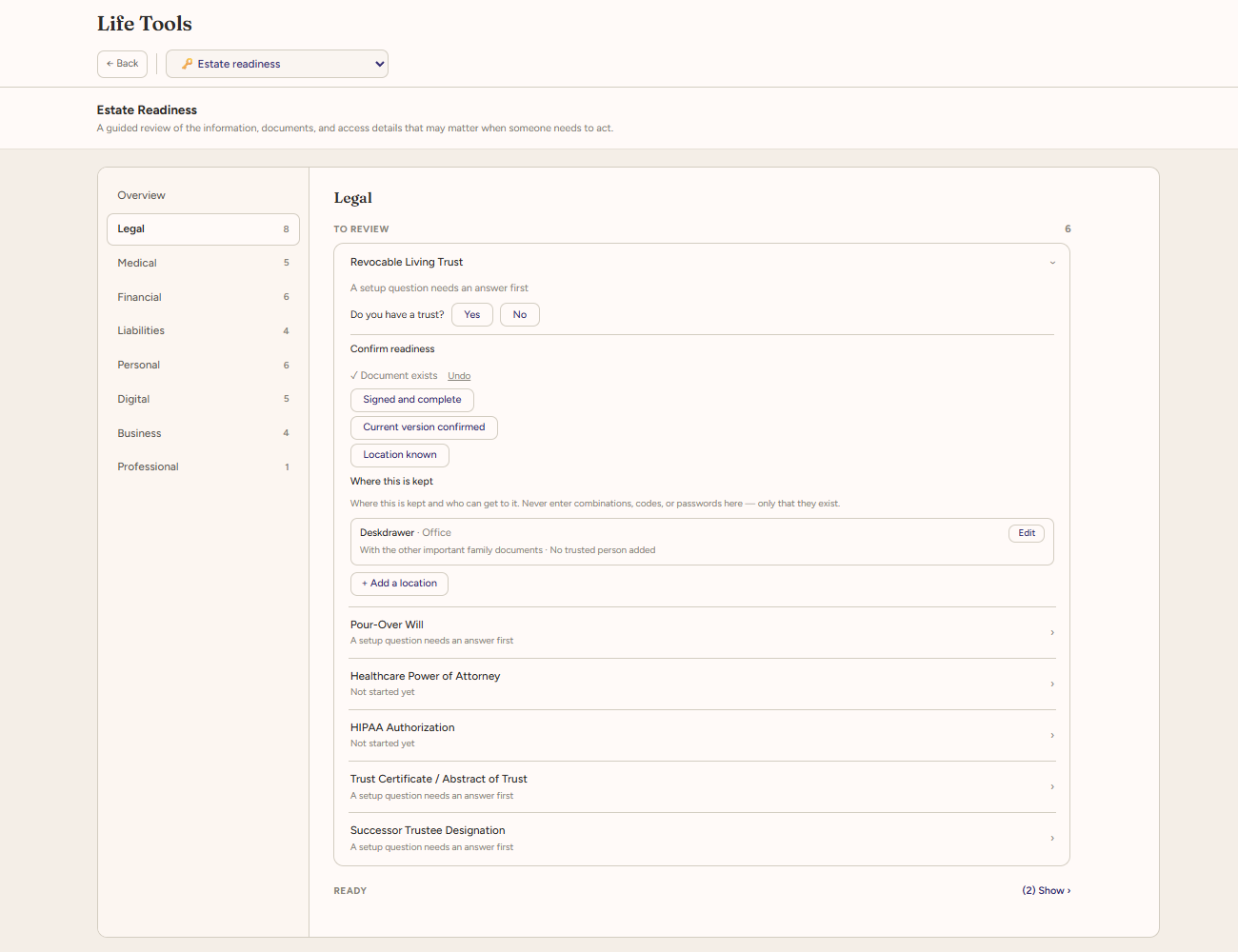
Estate Readiness
See what is in place and what may still need attention. Estate Readiness helps you review important estate-planning areas, identify missing or incomplete information, and prepare for next steps or conversations with a qualified professional.
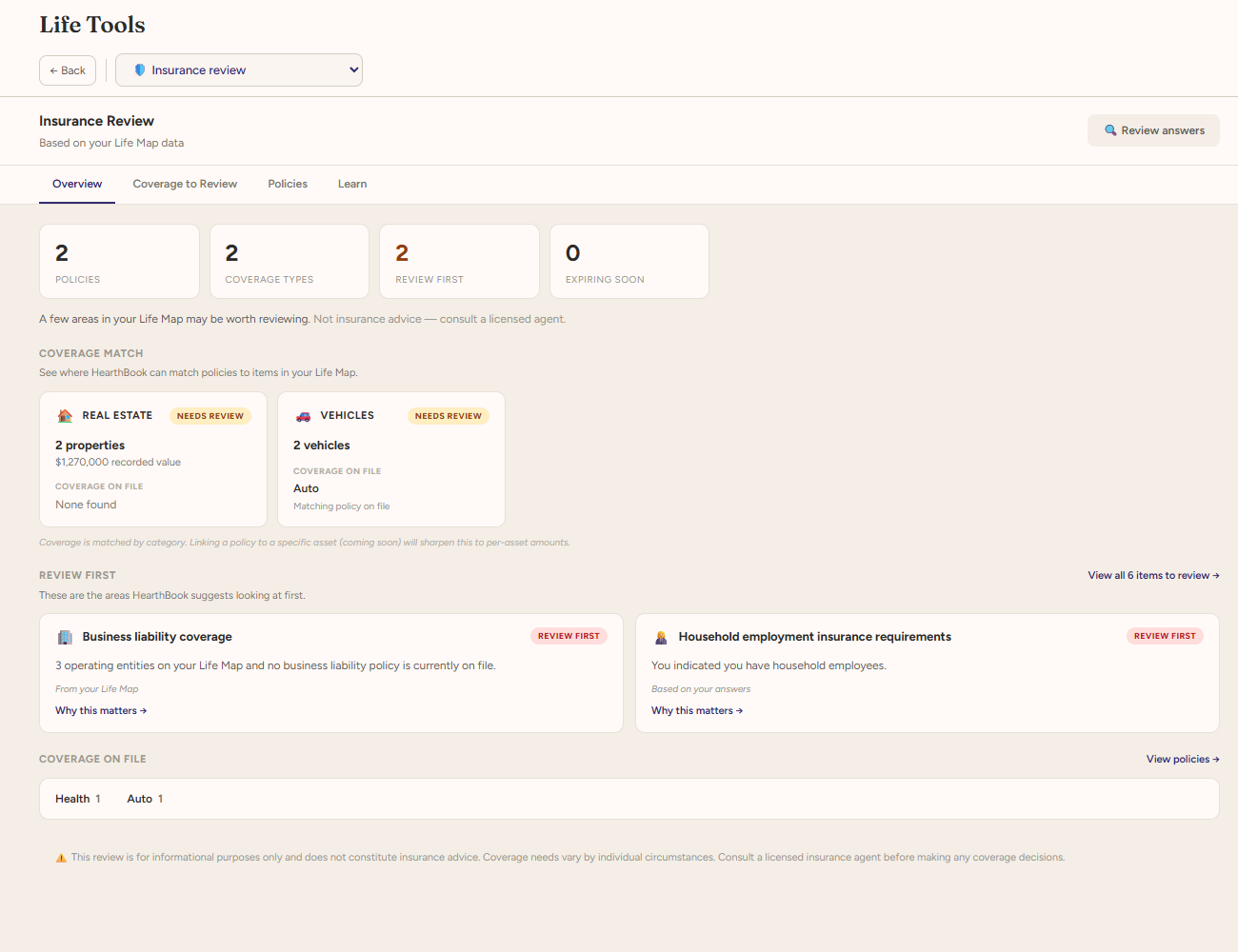
Insurance Review
See your coverage information together instead of one policy at a time. Insurance Review brings key policy details into a clearer view so you can understand what coverage you have, spot areas you may want to revisit, and be better prepared for conversations with your insurance professional.
- Loan Sherpa — Compare loan scenarios and see how different terms, rates, and payment structures may affect the overall picture.
- Find a Pro — Search for local professionals, such as attorneys, advisors, and other specialists, when you need outside expertise.
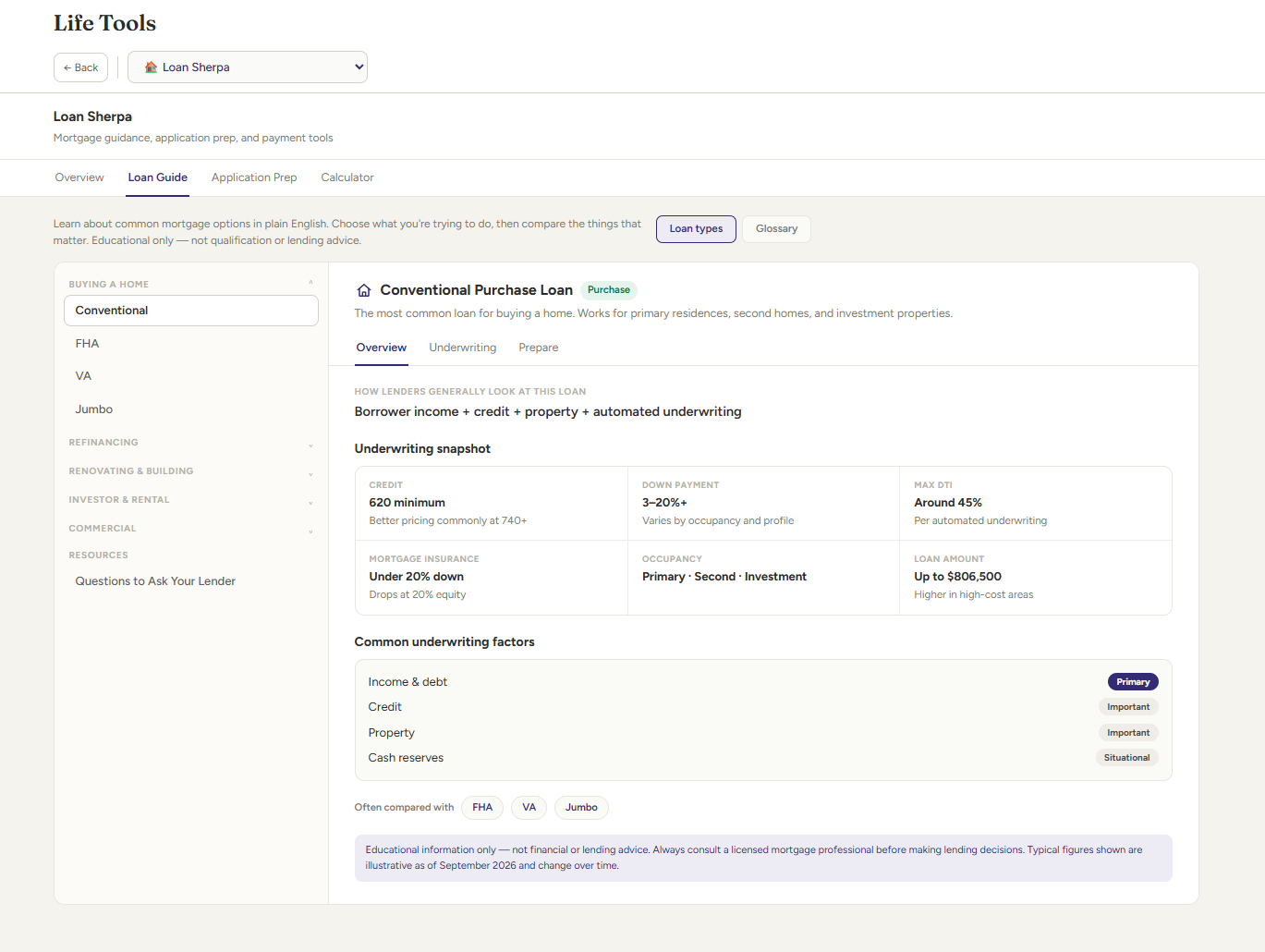
Loan Sherpa
Compare loan options without getting lost in the details. Loan Sherpa helps you look at different rates, terms, payment structures, and other financing scenarios side by side so you can better understand the tradeoffs before making a decision or talking with a lender.
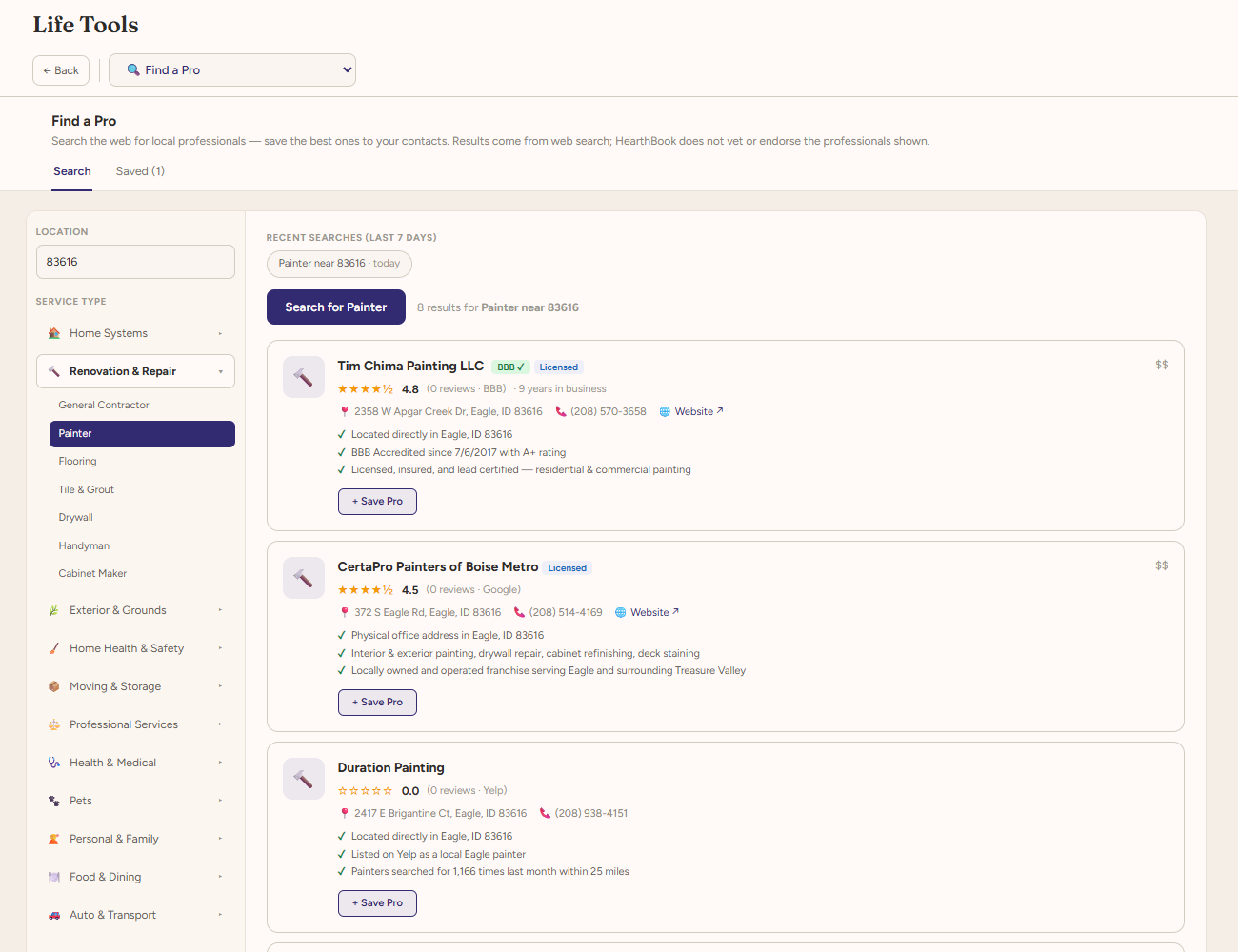
Find A Pro
Find professional help when a situation calls for it. Find a Pro helps you search for attorneys, advisors, doctors, contractors, and other specialists in your area, giving you a practical starting point when you need services beyond what HearthBook provides.
Contacts
Keep the people and organizations in your life connected.
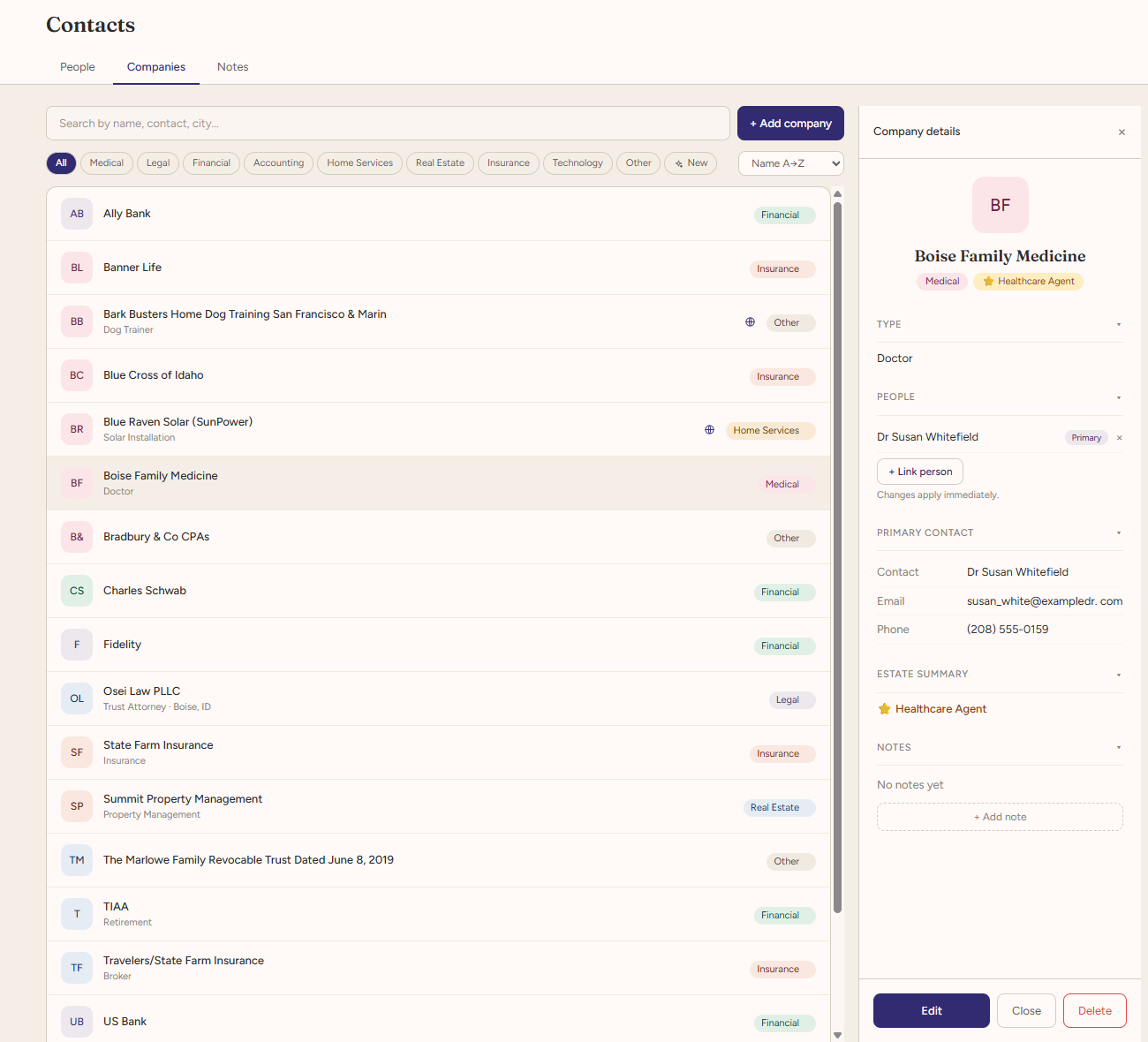
Contacts is a personal contact organizer to keep track of the people, professionals, and companies you rely on. Keep names, relationships, important dates, contact details, and notes organized in one place, then use those same records throughout Life Map, Documents, Life Tools, and trusted access.
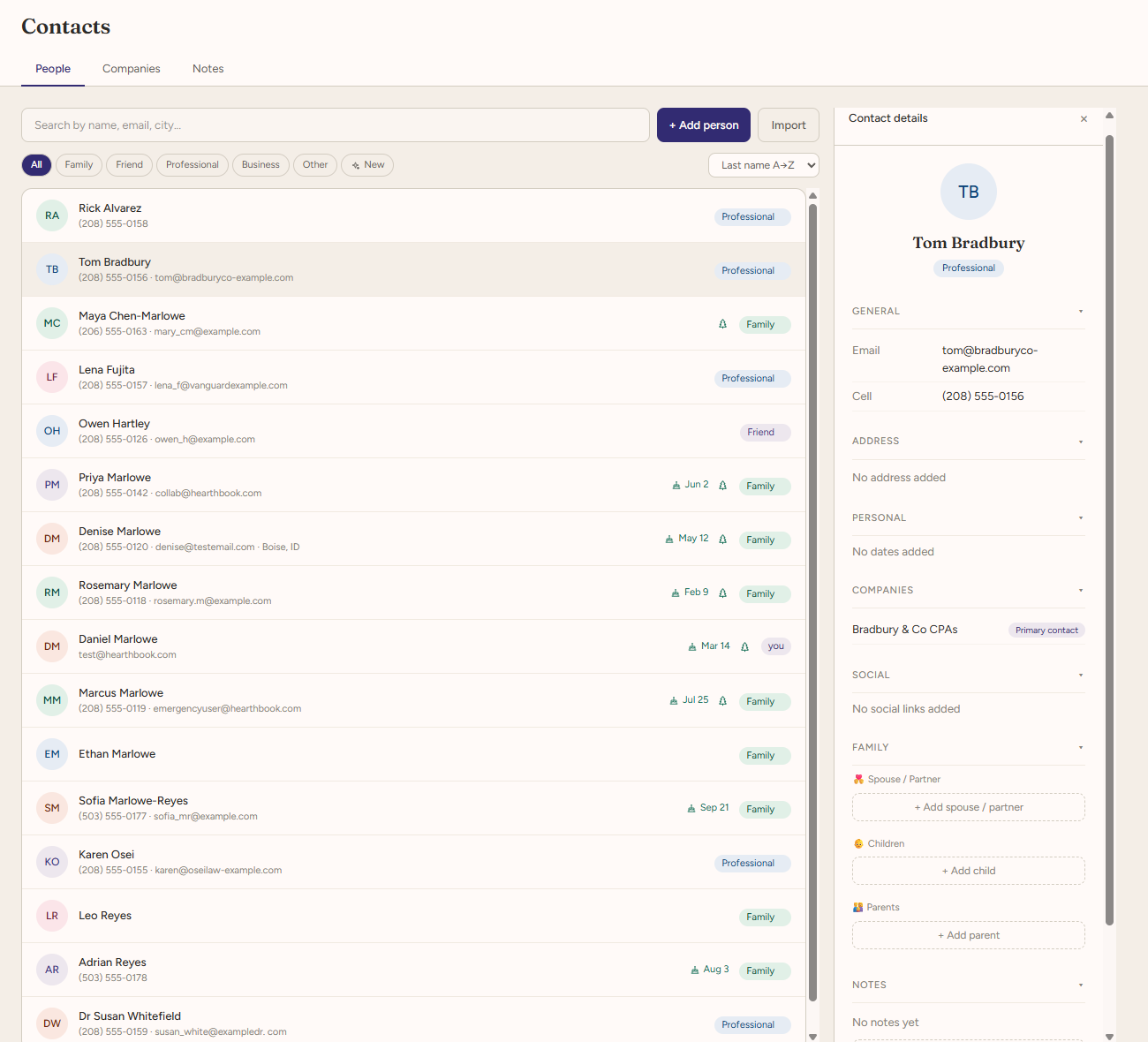
Companies & professionals
Share what matters with the people you trust.
HearthBook gives you two ways to involve people you trust. Collaborators can help with everyday organization, while Emergency Access lets you prepare for times when important information may need to be reached without you. You choose the people, permissions, and level of access.
Collaborators
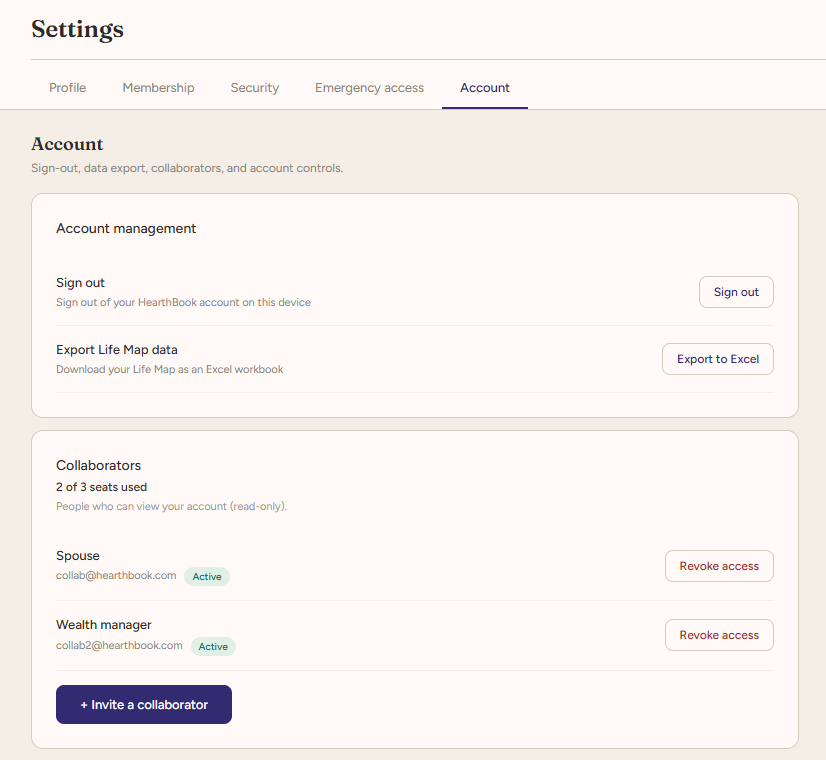
Invite a spouse, adult child, advisor, or another trusted person to help with your HearthBook. Each collaborator signs in with their own account and works within HearthBook’s collaborator access rules, so you can involve others without sharing your login or giving access to everything.
- Up to three collaborators included for all users
- Separate account and sign-in for each person
- Change or revoke access when needed
- Share your Life Map and selected documents
- Optional watermarking for shared documents
- Audit shared document activity via the Documents section
Emergency Access
Make important information reachable when you can’t share it yourself.
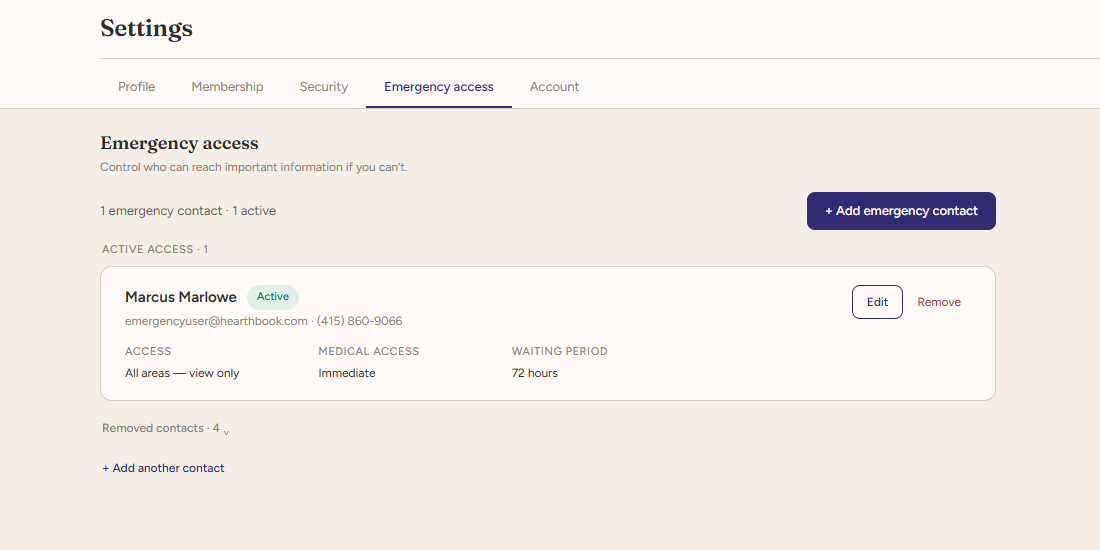
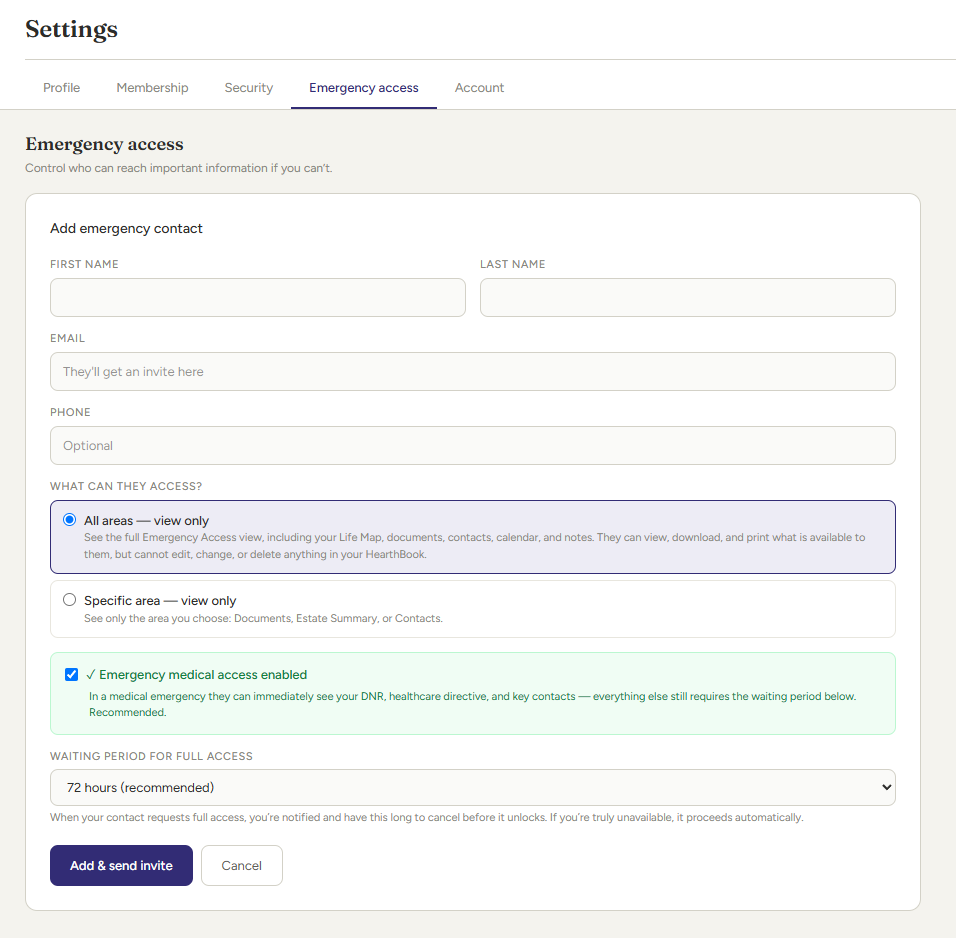
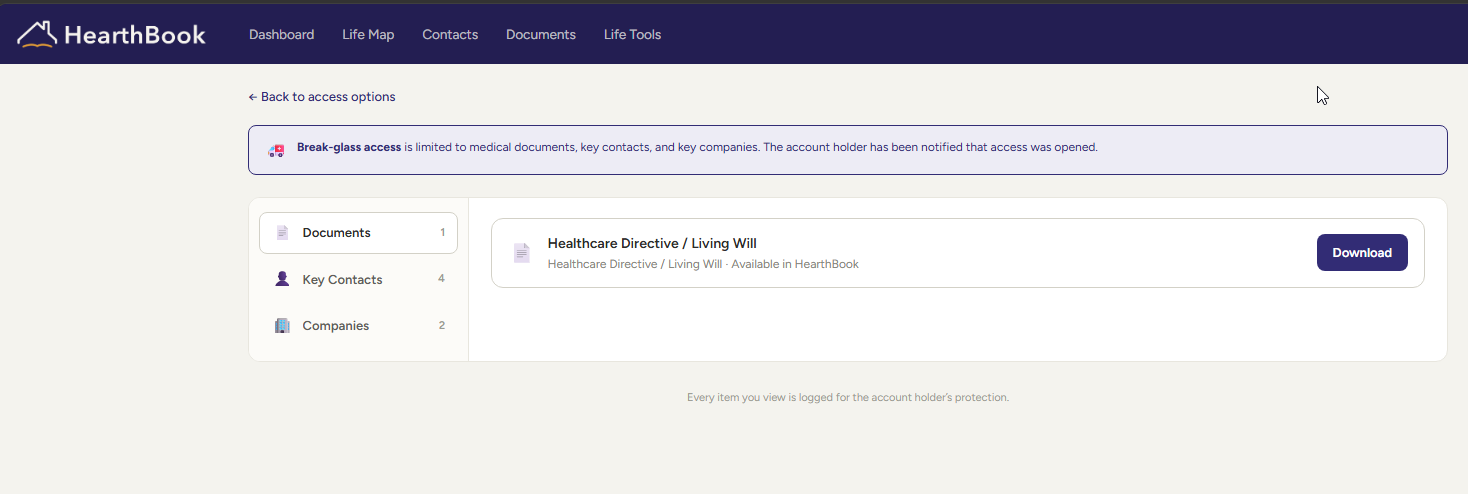
Choose trusted people ahead of time and decide what they can access if an urgent situation arises. HearthBook can make selected information available right away, while keeping broader access behind the safeguards and waiting period you configure.
- Selected key documents that you've uploaded into the documents area
- Key contacts and companies
- Emergency medical information, if enabled
- Available without opening the rest of HearthBook
- Can be revoked at any time without removing the Emergency Contact
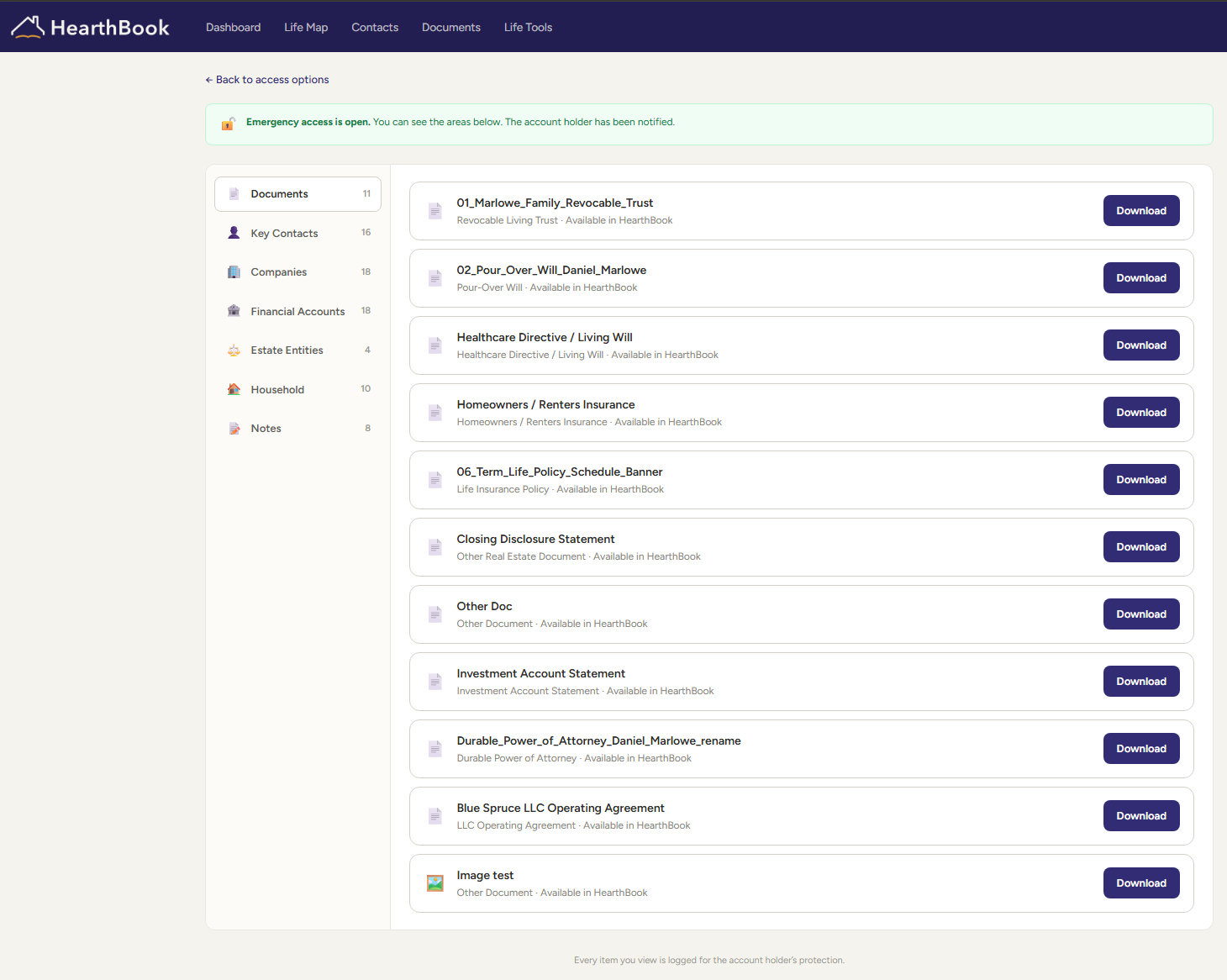
- Wider access
- Notification before access takes effect
- Waiting period you configure
- Opportunity to stop the request before access opens
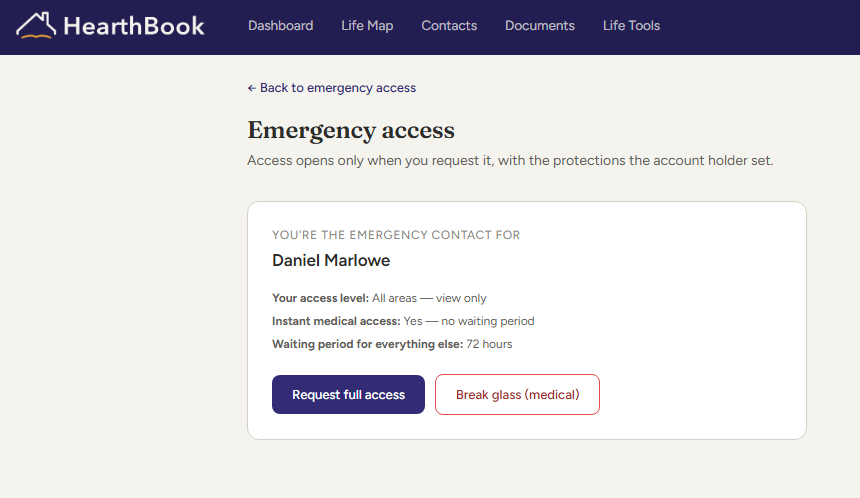
What selected information looks like when opened right away.
Bring what matters together.
Start free and make the people, information, documents, and plans that matter easier to find, understand, and use.